
How to Change the Interface Language in Sublandia Editor
Designed for creators. Free to use. Ready to scale.
Built by subtitlers. Powered by freedom!
Introduction
Sublandia Editor allows users to change the application interface language for a more comfortable subtitle editing experience. This is especially useful in multilingual environments and localization workflows.
 Steps to Change Language in Sublandia Editor
1. Open Dashboard Settings
Open the Dashboard and click Settings.

2. Select Language from the Left Menu
In the left-side menu, choose Language.
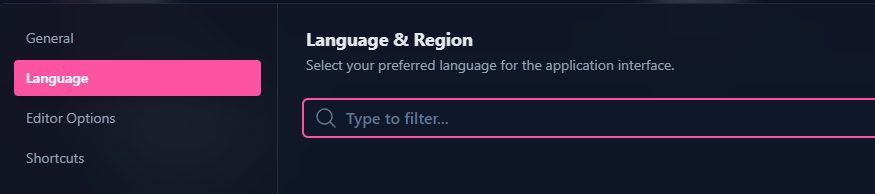
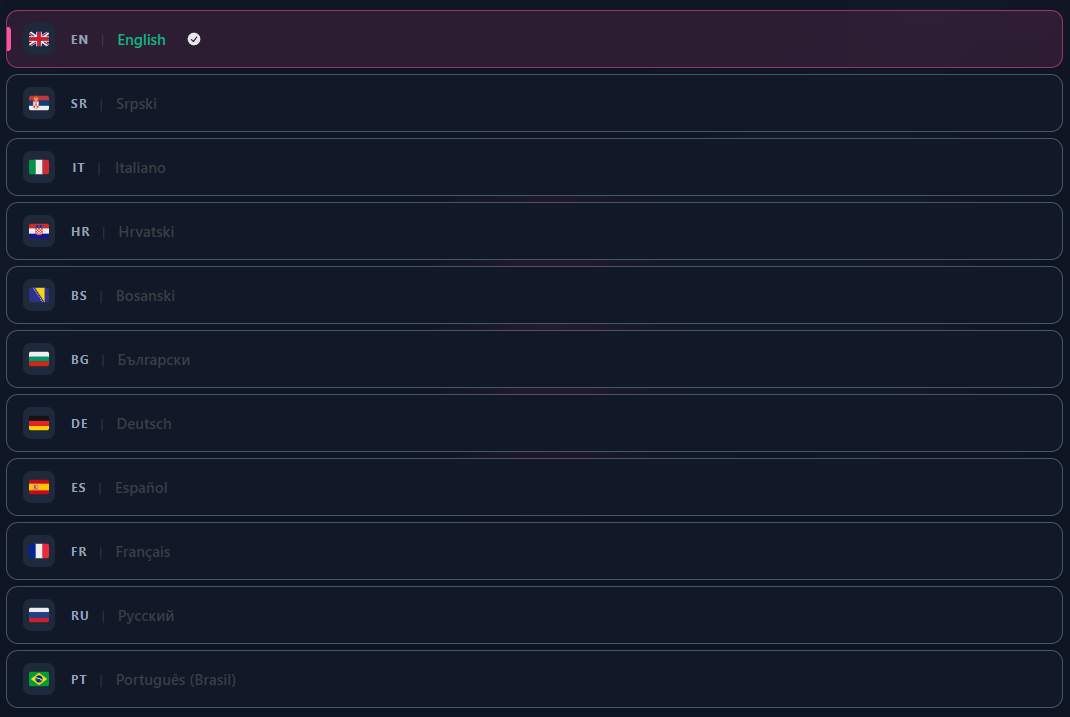
3. Choose Your Preferred Interface Language
Select your preferred language for the application interface and click OK.
Tip
Changing the interface language does not affect subtitle content or subtitle export settings. It only changes the editor interface.
 FAQ
FAQ
How do I change the language in Sublandia Editor?
Open Settings, select Language, choose your preferred language, and confirm.
Does changing the language affect subtitle files?
No. Language switching only changes the interface, not subtitle content.
Can I switch languages during an active project?
Yes. Interface language can be changed at any time without affecting your project.
Does language switching change export settings?
No. Export profiles and subtitle formats remain unchanged.
Can beginners easily use language settings?
Yes. The language option is accessible directly from Settings.
Does interface language affect subtitle validation?
No. Validation rules remain identical regardless of interface language.
Something on your mind?
Contact us
We are social


