
Create and Configure Custom Rulesets - Subtitle Standards in Sublandia Editor
Designed for creators. Free to use. Ready to scale.
Built by subtitlers. Powered by freedom!
Introduction
Subtitle standards define the professional rules used during subtitle creation. In Sublandia Editor, you can create custom subtitle rulesets to control character limits, reading speed, subtitle duration, line count, and timing restrictions.
These settings help ensure subtitle quality for streaming, broadcast, and professional subtitle delivery.
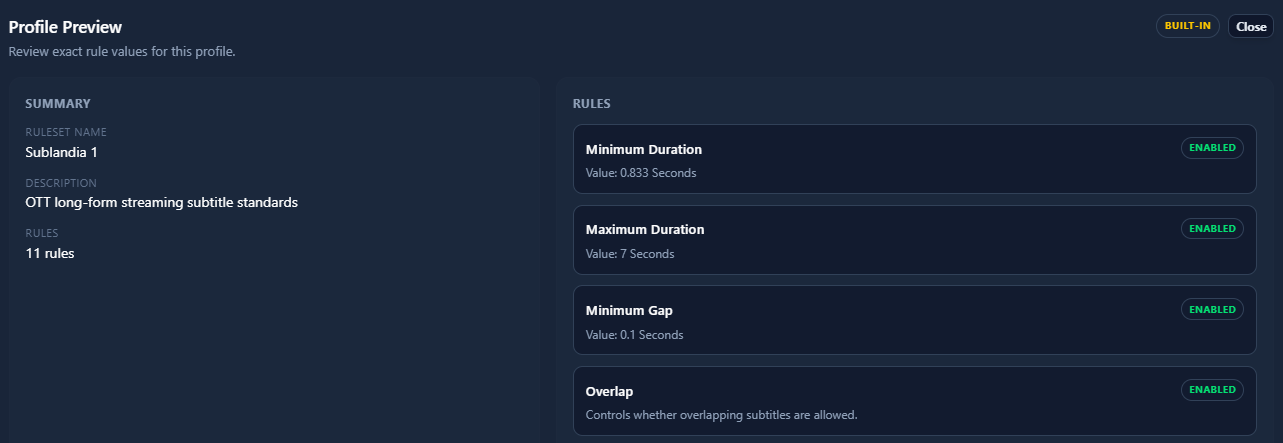
 Steps to Create a New Subtitle Ruleset
1. Open Dashboard Settings
Open the Dashboard and click Settings.

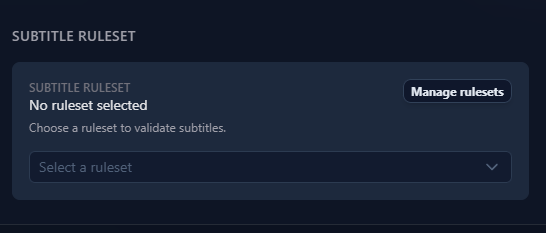
2. Open Editor Options and Manage Rulesets
In the left-side menu, select Editor Options.
In the Subtitle Ruleset section, click Manage Rulesets.
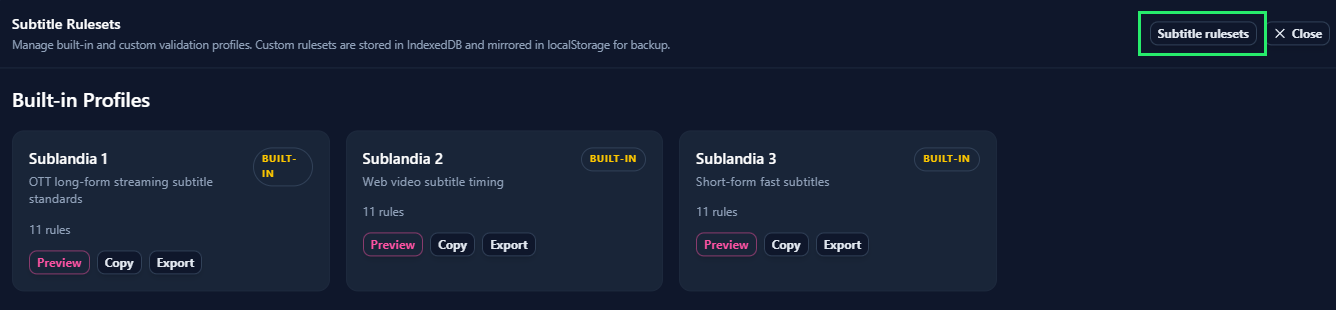
3. Open Subtitle Rulesets
Click Subtitle Rulesets.
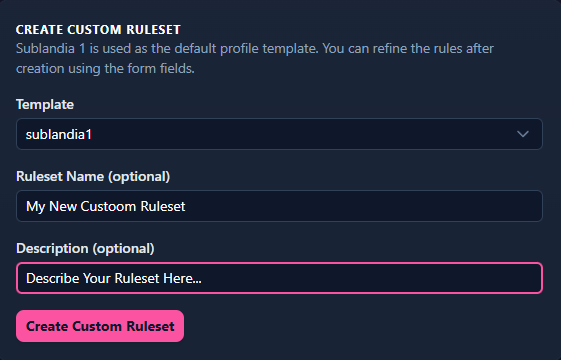
4. Create a Custom Ruleset
Enter your ruleset name in Ruleset Name, add a description, and click Create Custom Ruleset.
5. Edit Your Custom Ruleset
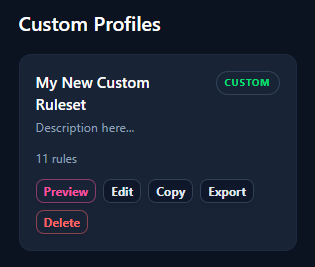
Your new ruleset appears under Custom Profiles.
Click Edit to open all subtitle rule settings.
6. Configure Subtitle Standards and Save
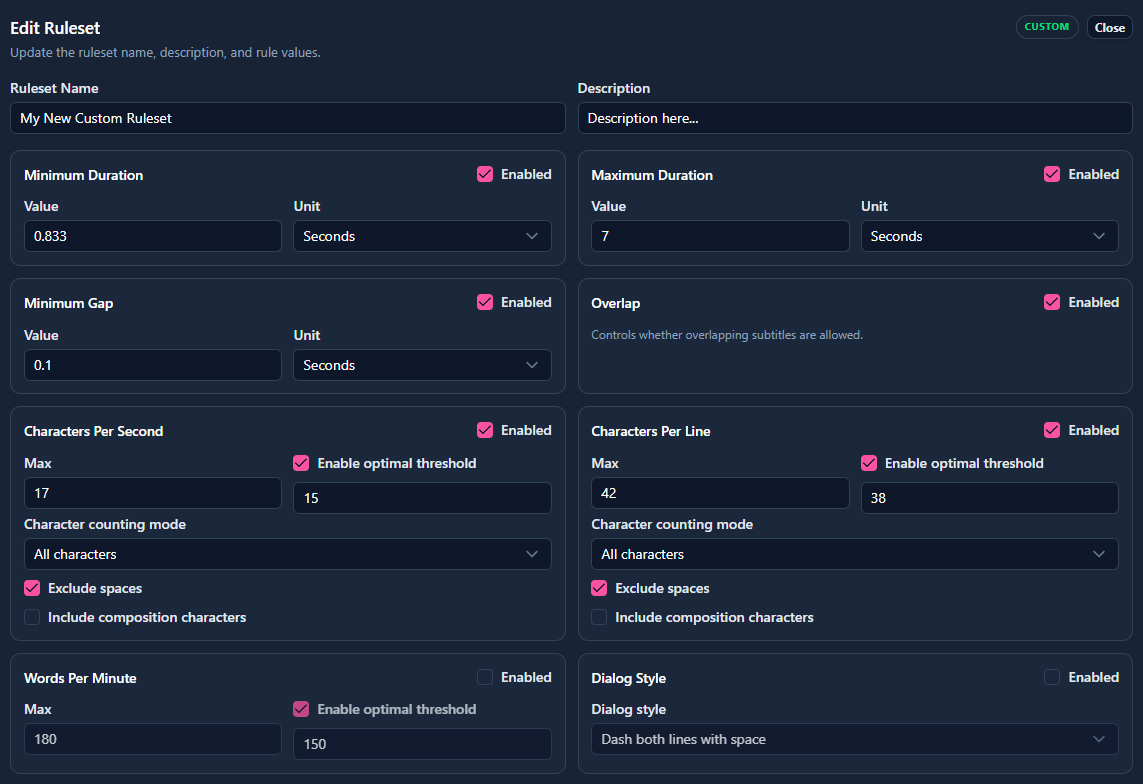
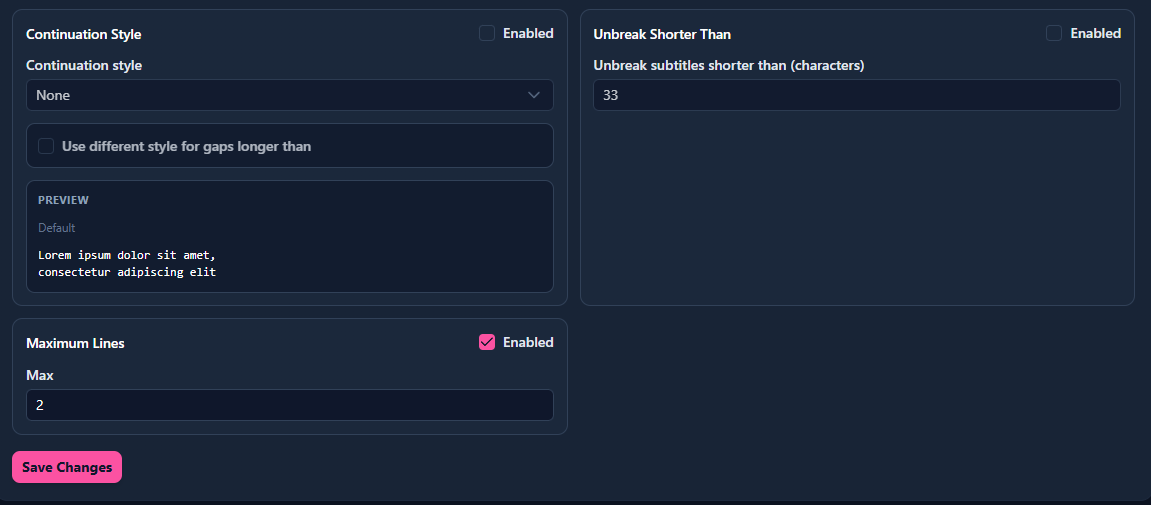
Set subtitle parameters and click Save Changes.
Typical settings include:
- CPL (Characters Per Line)
- CPS (Characters Per Second)
- Minimum Duration
- Maximum Duration
- MinGap
- Maximum Lines
Tip
Custom rulesets help match subtitle standards required by broadcasters, streaming platforms, and localization projects.
 FAQ
FAQ
What are subtitle standards in Sublandia Editor?
Subtitle standards define professional subtitle rules such as reading speed, line length, subtitle duration, and timing gaps.
What is CPL in subtitle rules?
CPL means Characters Per Line and controls maximum subtitle line length.
What is CPS in subtitle standards?
CPS means Characters Per Second and controls subtitle reading speed.
What is MinGap in subtitle timing?
MinGap defines the minimum time gap between subtitle lines.
Can I create custom subtitle rulesets in Sublandia Editor?
Yes. Custom rulesets allow full control over subtitle standards.
Are built-in subtitle profiles available?
Yes. Sublandia Editor includes built-in profiles and custom profile support.
Why are subtitle standards important?
They ensure readability, consistency, and compliance with professional subtitle delivery requirements.
Can subtitle standards be changed later?
Yes. Rulesets can be edited at any time.
Are subtitle standards used for export validation?
Yes. Validation uses active subtitle ruleset parameters.
Is custom subtitle profiling used in professional workflows?
Yes. Professional subtitle teams often create platform-specific subtitle profiles.
Something on your mind?
Contact us
We are social


