
How to Install Sublandia Editor as Desktop App (PWA) – Offline Subtitle Editing
Designed for creators. Free to use. Ready to scale.
Built by subtitlers. Powered by freedom!
Introduction
Sublandia Editor can be installed as a Progressive Web App (PWA) on your desktop, allowing you to work offline and edit subtitles securely.
While Sublandia Editor runs in your browser, installing it as a desktop app provides:
- offline access without an internet connection
- faster startup and dedicated workspace
- all subtitle and video files processed locally on your device
- full functionality of the web version
This feature is ideal for professional subtitlers who need secure, high-performance, and offline-capable subtitle editing.
 Step-by-Step Installation
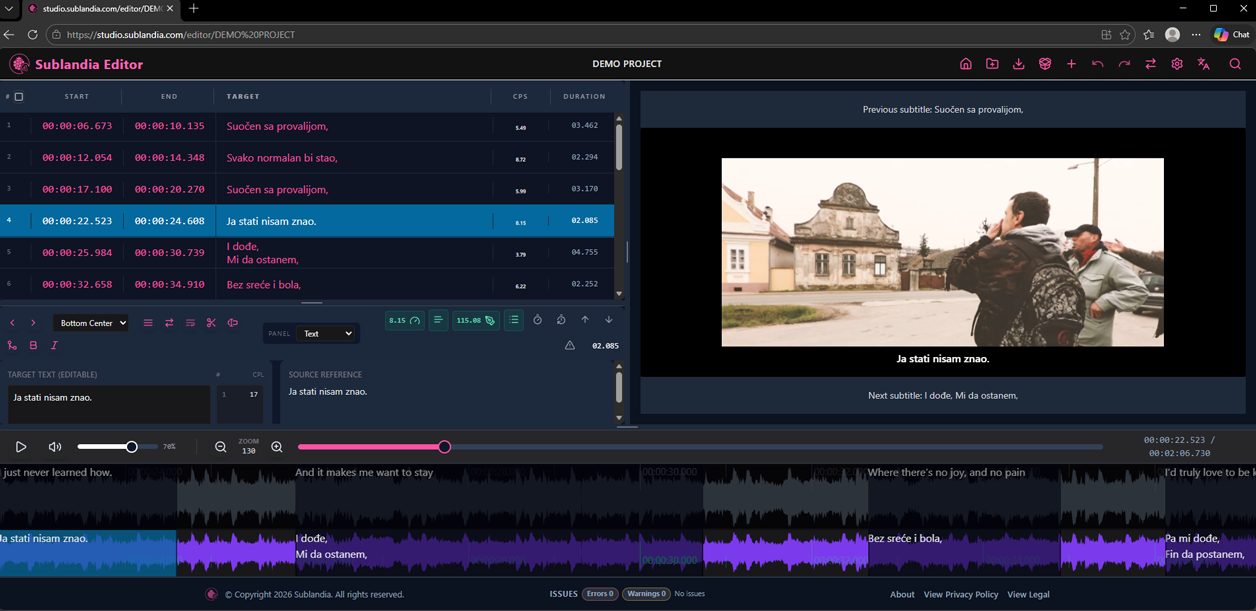
1. Open Sublandia Editor
Open studio.sublandia.com in a modern browser (Chrome, Edge, Firefox or other).
2. Install Sublandia Editor as PWA
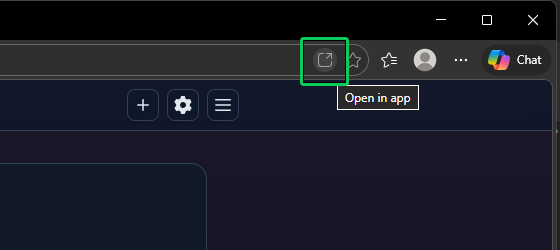
Click the Install icon in the address bar (or in Chrome/Edge: “Install Sublandia Editor”).
3. Confirm
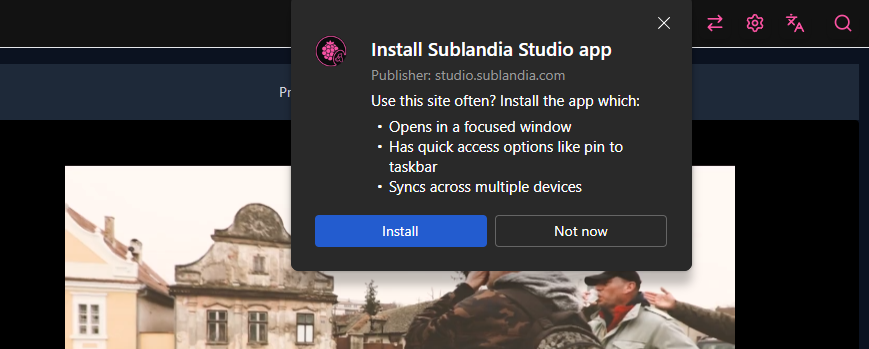
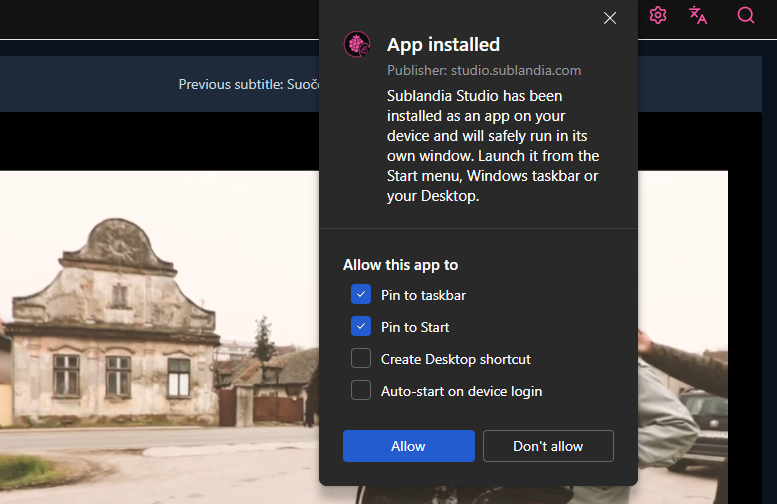
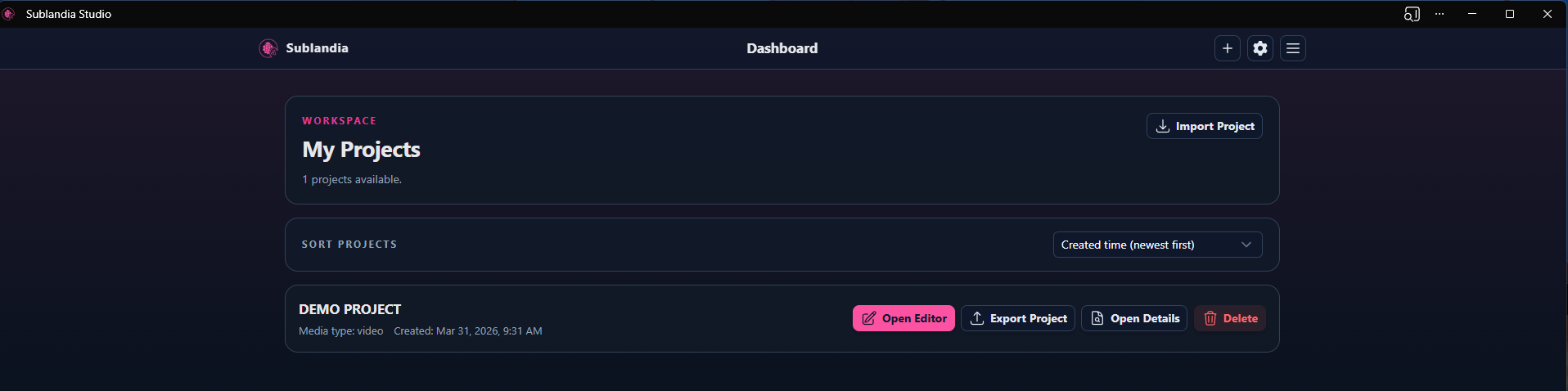
Confirm the installation prompt. Sublandia Editor will now appear as a desktop app.
4. Lunch the app
Launch the app from your desktop, start a new project, or continue editing existing subtitle files.
Tip
Installing Sublandia Editor as a PWA does not upload your files. All video files, subtitle files, and templates remain on your computer.
Benefits of Installing Sublandia Editor as PWA
- Offline editing: Work anywhere without an internet connection.
- Local file processing: Video and subtitle files never leave your computer.
- Professional workflow: Supports SRT, TTML, DFXP, WebVTT, ASS, rulesets, and custom shortcuts.
- Fast access: Launch directly from desktop instead of opening a browser tab.
 FAQ
FAQ
What is a Progressive Web App (PWA)?
A PWA is a web application that can be installed on your desktop or mobile device. It allows offline functionality and behaves like a native desktop app.
Can I edit subtitles offline after installing Sublandia Editor PWA?
Yes. Once installed, you can work on all subtitle projects without an internet connection.
Are my video files or subtitles uploaded to a server during offline editing?
No. All files remain local on your device; Sublandia Editor processes them in your browser or desktop PWA environment.
Which browsers support installing Sublandia Editor as a PWA?
Modern browsers such as Chrome, Edge, and Firefox support PWA installation.
Will the PWA version have the same features as the online version?
Yes. The PWA includes all core editing features, including importing/exporting SRT, TTML, DFXP, WebVTT, ASS, rulesets, and shortcut configuration.
How do I update the desktop app version?
Updates happen automatically when you reopen the PWA with an internet connection.
Something on your mind?
Contact us
We are social


